
# Evaluate
Continuously evaluate the design artifacts.
# Summary
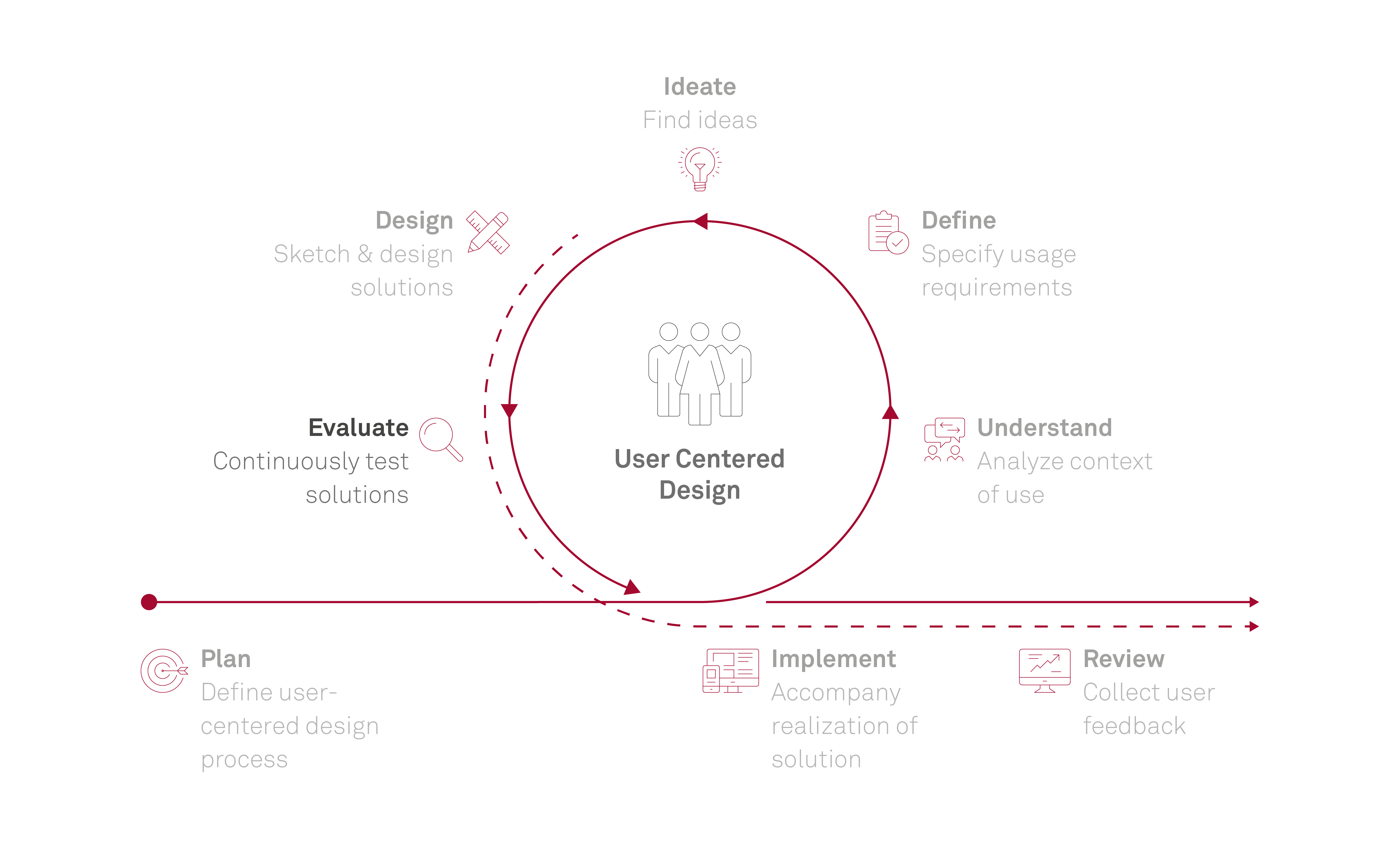
In the human-centered development process, the evaluation ideally takes place parallel to the development, so that the results of the evaluation are incorporated directly into the development process and thus contribute to the improvement of the product (formative evaluation). The evaluation can therefore already be started in the design phase. This is done, for example, by testing the prototypes with representative users. If, on the other hand, the finished application is evaluated only, this is referred to as a summative evaluation. Also, an evaluation can be the starting point for a project, for example, if an old system is to be replaced or improved. In all cases, it is important to conduct the tests with representative users.
TL;DR - AI in this phase: AI accelerates study preparation, transcription and analysis and can help structure and prioritise findings. However, it does not replace real user observation, its clustering and prediction models are not transparent (black box), and real user data requires special data protection safeguards.
# Result
In most cases, the results of an evaluation are qualitative and contain strengths, weaknesses and improvement potentials of a prototype or an application. With Usability Tests or Questionnaires there can also be quantitative results, e.g. in the form of a concrete numerical value for usability (system usability scale) or time specifications for the duration of a task.
# Questions to be answered in this phase
- Where do users have problems interacting with the application?
- How can interaction problems be solved?
- How good is the usability or user experience of the application?
- How do users view the application?
# Benefits & use cases of AI
# Speed up preparation and study design
- AI supports generating tasks, study plans, test protocols and suitable test data.
- Evaluation processes can be set up in a more structured way and adapted faster to different research questions.
# Support execution and documentation
- AI can automatically transcribe interviews and usability tests and summarise key insights in near real time.
- In international studies, AI can support through real-time translation and make cross-language execution easier.
- In remote or unmoderated tests, AI can support with automated moderation and adaptive follow-up questions.
# Use simulations and complementary analyses
- AI-based agents can explore prototypes and generate outputs such as click paths or heatmaps.
- Visual attention models provide early indications of visual hierarchy and potential weak points.
# Support heuristic evaluation
- AI can systematically assess designs against known usability principles and help prepare UX reviews.
- Results serve as structured support for subsequent expert evaluation.
# Analyse data and prioritise findings
- AI can process quantitative and qualitative data, for example through data cleaning, coding, clustering and statistical analysis.
- Recurring problem patterns can be identified faster, hypotheses can be formulated, and findings can be structured along clear categories.
- AI can suggest categorisation and weighting of findings by severity or affected heuristic.
- Findings can be translated more effectively into concrete recommendations for design and product decisions.
# Improve communication and result preparation
- AI supports writing, revising and structuring reports, as well as condensing key insights.
- Research outputs can be prepared more consistently and communicated more easily across teams.
# Strengthen continuous evaluation and quality assurance
- Insights from recurring feedback can be integrated faster and trends over time can be made visible.
- AI supports checks such as plausibility checks and comparability of results across multiple runs.
# Risks of using AI
# AI-moderated studies do not fully capture behavior
- In AI-run or AI-moderated studies, actual user behavior cannot be observed in full depth. Analysing statements without direct observation leads to incomplete or biased insights.
- During moderation and later interpretation of findings, there is a risk that AI responses become overly confirmatory and create a distorted picture (sycophancy).
# Documentation and transcription lose context
- AI-supported transcriptions do not always capture the context of statements correctly and may confuse speaker attribution.
- Non-verbal signals such as uncertainty, frustration or hesitation are not captured and can be lost in analysis.
# Black box in automated data analysis
- AI clustering is inherently subjective and not transparent. The decision logic behind assignment, structuring and categorisation is not traceable (black box).
- With qualitative data, clusters can easily overlap too much, and different AI tools can produce inconsistent results.
- AI-supported analyses can create a false sense of objectivity, leading to less critical review of results.
- Methodological decisions about structuring and categorisation can be made implicitly by AI without being clearly visible.
# Simulations and predictive models do not replace real users
- AI-based agents are based on learned patterns, do not replace real users and do not capture the full diversity of real usage situations.
- Predictive visual attention models show what is noticed, but do not explain why specific elements are noticed.
# Automated UX reviews remain superficial
- AI does not apply known usability principles reliably and context-sensitively.
- Results are an initial indication and do not replace a thorough expert evaluation.
# Data protection with real user data
- Evaluations involve real user data, such as interview recordings, test recordings, transcripts and behavioral data, and processing this in AI systems requires special care.
- Without prior anonymisation or pseudonymisation and without checking internal data processing policies, there is a risk that personal data is sent to external models.
# Guardrails for using AI
# AI as support, not as a substitute
- AI should be limited to supporting data collection, analysis and preparation. Interpretation and judgment remain with the UX team.
- AI-based study formats and simulations should be treated as a complement to observing real users, not as a substitute.
# Transparency and documentation
- AI tools and how they are used must be clearly documented, including assumptions that influenced analysis.
- Methodological decisions on structuring, categorisation and weighting must be made consciously and must not emerge implicitly through AI.
# Ensure analysis quality
- Analyses must be reviewed systematically, for example through sampling, comparison of multiple AI tools and manual validation.
- Variation across multiple AI runs is an indicator of uncertainty and should be actively evaluated.
- Clustering results must be traceable to concrete quotes and observations. This must be explicitly required from AI.
# Translate findings into recommendations
- AI can support structuring the derivation process, but domain interpretation and prioritisation of findings remain the task of UX experts.
# Data protection
- Before using AI tools, it must be checked how they handle entered data (storage, further processing, training use).
- Recordings, transcripts and identifying information must be anonymised or pseudonymised before using AI, and internal data processing policies must be followed.
# Sources
- Bosenick T. (2026) System Prompts in UX Research: What You Need to Know About Invisible AI Control (opens new window)
- Jacobsen J. (2026) Synthetic Users im Realitaets-Check (opens new window)
- Moran K., Rosala M. (2024) Accelerating Research with AI (opens new window)
# Note on the use of AI
Parts of this content were created using AI-supported tools, in particular M365 Copilot. The results were reviewed, revised and contextually assessed by the author. AI-generated content may be inaccurate or incomplete and was therefore not adopted without review.
Last updated 25.05.2026