
# Design
Create a UI design (wireframe) and develop the concrete design of the application.
# Summary
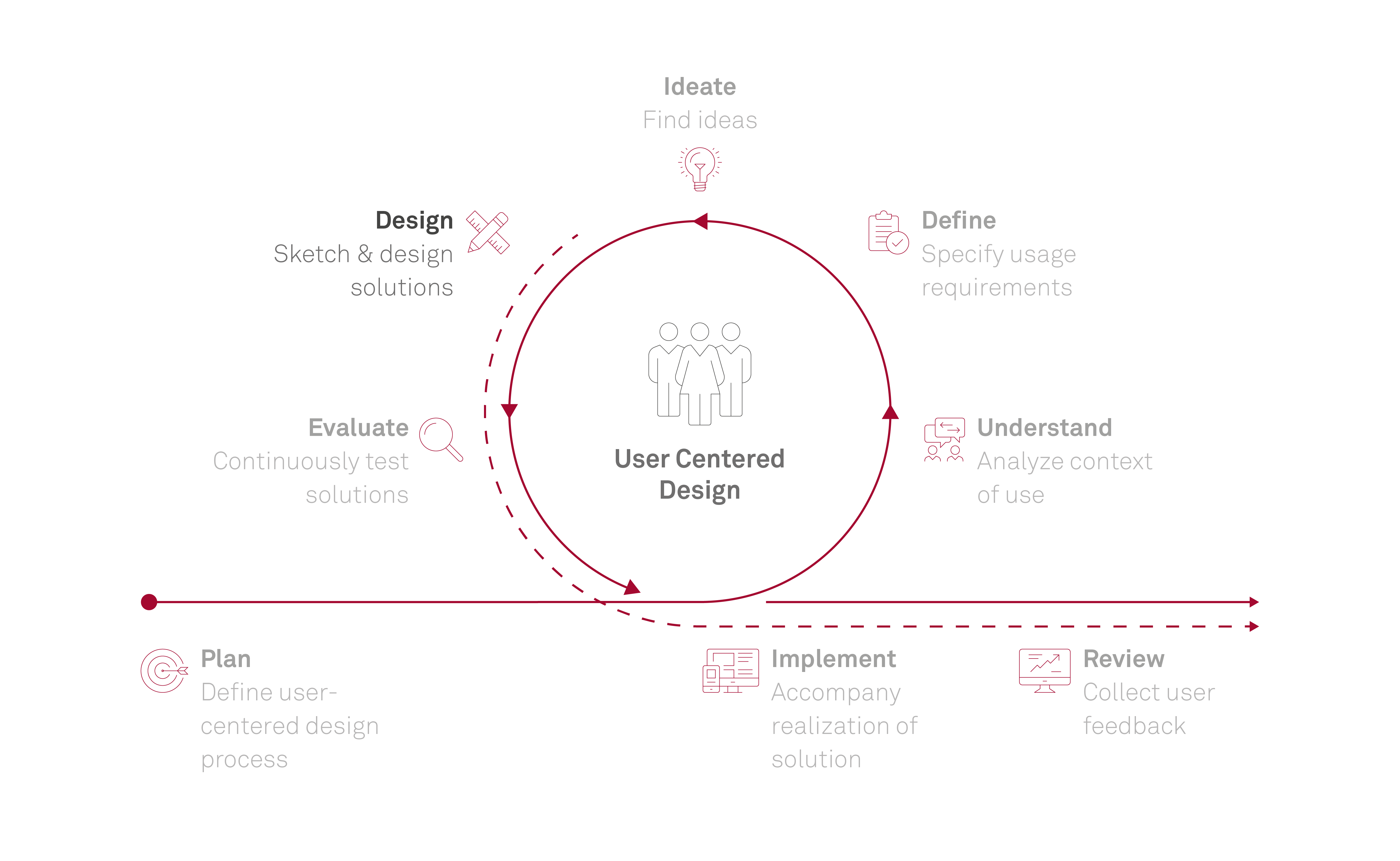
In the design phase, the usage requirements are transferred into a prototype of the application. Initially, the focus is on the basic structure of the application and its pages. In the next step the details of the application design are developed. In particular, the color scheme, fonts, spacing and form language of the application are defined. Either an existing design system or an existing styleguide is used or a completely new design is started.
TL;DR - AI in this phase: AI helps bridge the gap from concept to concrete design. It quickly generates structures, variants and prototypes, applies design systems, and supports rationale and handover. However, it can easily create visual pseudo-quality without usage context; design responsibility, consistency checks and implementation readiness remain with the UX team.
# Result
The result of this phase is a visual representation of the application based on the user's requirements. The range of the visual representation ranges from simple sketches (paper-prototype) to detailed, interactive high-fidelity prototypes which already have great similarity to the real system. The end result is a finished and detailed design draft of the application. In addition to this image of the future application, the details necessary for developers (fonts, sizes, distances, etc.) are made available (e.g. as css). Based on this, developers can start with the implementation of the application.
# Questions to be answered in this phase
- How does the application work?
- How is the application structured?
- How can the user perform his task(s) with the application as efficiently, effectively and satisfactorily as possible?
- Which concrete UI elements are used?
- Where are the UI elements placed?
- What do the UI elements look like in different states?
# Benefits & use cases of AI
# Designing structures and solution space
- AI generates initial drafts for information architecture and structures content and navigation logic, allowing different structuring approaches to be explored and compared early.
- It translates ideas from the Ideate phase into concrete interaction flows, user flows or screen concepts, making the transition from abstract solution ideas to implementable designs easier.
- It expands the solution space by generating many variants and alternatives and exploring different solution directions in parallel. This helps overcome existing thinking patterns or design fixation.
# Prototyping quickly and with realistic detail
- Initial prototypes can be generated quickly and iteratively developed further, for example through vibe coding or automated generation of layouts, interactions and animations, so ideas become visible and testable early.
- Design variants can be adapted and refined in short iteration cycles, allowing feedback to directly impact design.
- AI generates suitable sample or test data for filling interfaces and making usage scenarios understandable, so designs can be evaluated early in usage context and weaknesses become visible.
# Safeguarding consistency and quality
- Existing design systems can be automatically applied to prototypes or adapted to specific client contexts.
- Design elements such as colors, typography or interaction patterns can be derived from existing designs or screenshots and reused.
- AI identifies inconsistencies between screens or flows and points out missing states or edge cases not yet considered in the design.
- It brings established best practices from design and usability and helps especially in early concept phases to address initial quality standards and avoid common problems.
# Explaining and communicating design decisions
- AI supports structuring and justifying design decisions by comparing variants, showing pros and cons, and helping formulate a traceable design rationale.
- Structured preparation of content creates clear argumentation lines, from understanding user needs to the underlying idea and the concrete design solution, making presentations and stakeholder alignment easier.
- Handover to development teams can be supported by documenting designs more systematically and preparing them more clearly for implementation.
# Risks of using AI
# Pseudo-quality: looks plausible, works poorly
- AI-generated drafts often look plausible or visually convincing at first glance, but frequently show fundamental weaknesses such as missing visual hierarchy, unclear grouping of related elements, inconsistent spacing, or unsuitable design patterns.
- Color choices, contrasts and visual style are often not sufficiently aligned, so designs seem coherent but are functionally weak or harder to use.
- Open or underspecified prompts often lead to generic outputs based on established patterns, for example dashboard layouts or standard structures. Designs converge, and differentiation and brand-specific design lose relevance.
# Context loss and inconsistency
- Designs are easily created in isolation at screen level without sufficiently considering real usage context, so an overarching interaction logic or consistent user experience may be missing.
- Generating individual screens or components introduces inconsistencies in spacing, alignment or interactions.
- Important states or edge cases are often not adequately considered, which reduces quality and implementation readiness.
# Responsibility shift and complexity trap
- Output quality depends heavily on the user's expertise. Without solid design and technical understanding, weaknesses may go unnoticed and generated solutions may be adopted uncritically.
- Responsibility for design quality can be partially shifted to AI instead of keeping design decisions consciously with UX experts.
- As prototypes become more complex, controllability declines. Especially in interactive high-fidelity prototypes, even small changes can cause unexpected side effects or errors.
- Quickly generated solutions are often hard to maintain or evolve, increasing effort in later phases.
# Guardrails for using AI
# AI as a tool - responsibility stays with the UX team
- AI should focus on supporting the elaboration of design solutions. Responsibility for quality, clarity and implementability remains with the UX team.
- AI-generated drafts are not final solutions and must always be reviewed in usage context and purposefully refined.
- Design decisions must be made and documented in a traceable way. AI support must not lead to implicit decision making. Variants should be consciously compared and evaluated in the context of user needs and requirements to form a clear design rationale.
# Think in context, not only visuals
- Designs must not be evaluated only by visual impression, but by interaction flows, clarity and actual usage.
- Design should not happen in isolation at screen level. Designs need to derive from clear usage scenarios and form a consistent overarching interaction logic.
- Design generation should be based on clearly defined requirements and constraints. Open prompts without context often lead to generic outputs and should be deliberately constrained to enable differentiated, project-specific solutions.
# Safeguard consistency, completeness and handover
- Consistent use of design systems and design guidelines is necessary to maintain a coherent overall system and prevent screens or components from evolving independently.
- Designs must be systematically checked for completeness, especially regarding alternative flows, error states and edge cases.
- For complex prototypes, traceability and stability must be ensured. Changes should be controlled, as impacts become harder to oversee with increasing complexity.
- Designs must be prepared early so they are implementation-ready, with clear structure, understandable interaction logic and sufficient documentation.
# Sources
- Wang H.-H., Brown M. (2025) Good from Afar, But Far from Good: AI Prototyping in Real Design Contexts (opens new window)
# Note on the use of AI
Parts of this content were created using AI-supported tools, in particular M365 Copilot. The results were reviewed, revised and contextually assessed by the author. AI-generated content may be inaccurate or incomplete and was therefore not adopted without review.
Last updated 25.05.2026